Yep, we may get a tiny thank-you (read: commission) when you buy through
links on Gadgetspotr — not enough for a yacht, but enough to keep the lights (and
servers) on.
Learn more
Get the facts before you unbox. The AtomStack Atelier laser engraver & cutter features 153 key specs & features, with general information, laser module, performance & capabilities & work area topping the list.
A fast snapshot of the AtomStack Atelier, covering its standout specification and what you can expect right out of the box.
AtomStack Atelier
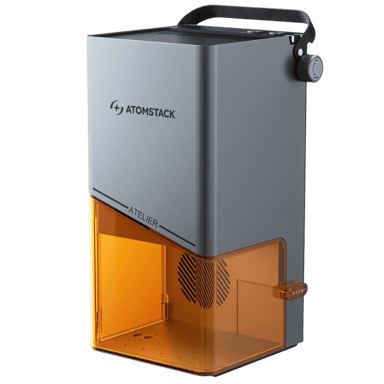
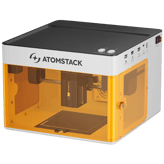
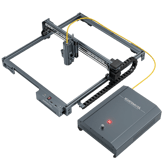
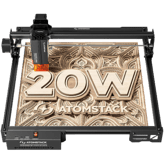
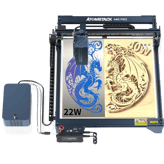
The AtomStack Atelier is a highly portable, monolithic-design laser engraver that features a powerfu blue diode laser and utilizes advanced galvanometer (Galvo) technology. Class 1 safety enclosure, a built-in HD camera for positioning, and compatibility with LightBurn and AtomStack Studio make it an ideal, budget-friendly tool for on-site customization and batch engraving.
Specifications & Facts
153
Specs measured. Drama avoided.
Think you know gadgets? Check out the full scoop on the AtomStack Atelier laser engraver & cutter: specs, votes, pros, cons, and how it measures up to competing laser engravers & cutters.
General Information
9
AtomStack Atelier
Intended Use Cases
What are the intended use cases?
0
AtomStack Atelier
0
Votes
Hobby, Professional
Laser Engraver & Cutter in this range
Who knows?
(Help us out by suggesting one!)
AtomStack Atelier
The engraver is designed for both Hobby and Professional use cases, making it versatile for a wide range of users from enthusiasts to small businesses.
Describes user applications.
Don’t keep it to yourself — be the first to react and review the
Intended Use Cases on AtomStack Atelier
◉ and help others decide!
AtomStack Atelier
Machine Weight
What is the machine weight?
3.3
lbs
0Votes
Laser Engraver & Cutter in this range
Who knows?
(Help us out by suggesting one!)
AtomStack Atelier
The machine has a lightweight design, weighing 3.3 lbs (1.5 kg), making it highly portable.
Total weight of the machine.
Don’t keep it to yourself — be the first to react and review the
Machine Weight on AtomStack Atelier
◉ and help others decide!
AtomStack Atelier
Machine Depth
What is the machine depth?
7.68
inch
0Votes
Laser Engraver & Cutter in this range
Who knows?
(Help us out by suggesting one!)
AtomStack Atelier
The machine has a depth of 7.68 inch (19.51 cm), indicating its footprint on a workbench or desk.
Depth of the machine footprint.
Don’t keep it to yourself — be the first to react and review the
Machine Depth on AtomStack Atelier
◉ and help others decide!
AtomStack Atelier
Machine Height
What is the machine height?
7.95
inch
0Votes
Laser Engraver & Cutter in this range
Who knows?
(Help us out by suggesting one!)
AtomStack Atelier
The machine has a height of 7.95 inch (20.19 cm), which is important for fitting it into designated workspaces.
Total height of the machine.
Don’t keep it to yourself — be the first to react and review the
Machine Height on AtomStack Atelier
◉ and help others decide!
AtomStack Atelier
Supported Operating Systems
Which operating systems are supported?
0
AtomStack Atelier
0
Votes
Windows, macOS, Linux
Laser Engraver & Cutter in this range
Who knows?
(Help us out by suggesting one!)
AtomStack Atelier
The device is compatible with a wide range of operating systems, including Windows, macOS, and Linux, offering flexibility for different user setups.
Indicates OS compatibility for controlling software.
Don’t keep it to yourself — be the first to react and review the
Supported Operating Systems on AtomStack Atelier
◉ and help others decide!
AtomStack Atelier
Control Method
What is the control method?
0
AtomStack Atelier
0
Votes
Software, Mobile App
Laser Engraver & Cutter in this range
Who knows?
(Help us out by suggesting one!)
AtomStack Atelier
The engraver can be controlled via Software on a computer or through a dedicated Mobile App, providing flexible operation options.
Defines how the user operates the machine.
Don’t keep it to yourself — be the first to react and review the
Control Method on AtomStack Atelier
◉ and help others decide!
AtomStack Atelier
Product Type
What is the product type?
0
AtomStack Atelier
0
Votes
Laser Engraver Cutter
Laser Engraver & Cutter in this range
Who knows?
(Help us out by suggesting one!)
Defines the category of the machine.
Don’t keep it to yourself — be the first to react and review the
Product Type on AtomStack Atelier
◉ and help others decide!
AtomStack Atelier
Frame Type
What is the frame type?
0
AtomStack Atelier
0
Votes
Enclosed
Laser Engraver & Cutter in this range
Who knows?
(Help us out by suggesting one!)
Describes structural design of the machine.
Don’t keep it to yourself — be the first to react and review the
Frame Type on AtomStack Atelier
◉ and help others decide!
AtomStack Atelier
Machine Width
What is the machine width?
7.59
inch
0Votes
Laser Engraver & Cutter in this range
Who knows?
(Help us out by suggesting one!)
Width of the machine footprint.
Don’t keep it to yourself — be the first to react and review the
Machine Width on AtomStack Atelier
◉ and help others decide!
Laser Module
13
AtomStack Atelier
Laser Spot Size
What is the laser spot size?
0
AtomStack Atelier
0
Votes
0.08 x 0.1mm
Laser Engraver & Cutter in this range
Who knows?
(Help us out by suggesting one!)
AtomStack Atelier
The laser spot size is 0.08 x 0.1mm, which is a very fine point, allowing for high precision and intricate details in engravings.
Defines the diameter of the focused laser spot.
Don’t keep it to yourself — be the first to react and review the
Laser Spot Size on AtomStack Atelier
◉ and help others decide!
AtomStack Atelier
Laser Wavelength
What is the laser wavelength?
455
nm
0Votes
Laser Engraver & Cutter in this range
Who knows?
(Help us out by suggesting one!)
AtomStack Atelier
The laser operates at a wavelength of 455 nm, which is characteristic of a blue diode laser, effective for engraving and cutting a range of materials.
Defines the wavelength of the emitted laser light.
Don’t keep it to yourself — be the first to react and review the
Laser Wavelength on AtomStack Atelier
◉ and help others decide!
AtomStack Atelier
Laser Cooling Method
What is the cooling method?
0
AtomStack Atelier
0
Votes
Air Cooling
Laser Engraver & Cutter in this range
Who knows?
(Help us out by suggesting one!)
AtomStack Atelier
The laser module uses Air Cooling to dissipate heat, a common and effective method for diode lasers.
Defines how the laser dissipates heat.
Don’t keep it to yourself — be the first to react and review the
Laser Cooling Method on AtomStack Atelier
◉ and help others decide!
AtomStack Atelier
Laser Lifespan
What is the laser lifespan?
10,000
hours
0Votes
Laser Engraver & Cutter in this range
Who knows?
(Help us out by suggesting one!)
AtomStack Atelier
The laser module has an impressive lifespan of 10000 hours, ensuring long-term reliability for extensive use.
Expected operational hours before degradation.
Don’t keep it to yourself — be the first to react and review the
Laser Lifespan on AtomStack Atelier
◉ and help others decide!
AtomStack Atelier
Laser Power Optical
What is the optical laser power?
12
Watt
0Votes
Laser Engraver & Cutter in this range
Who knows?
(Help us out by suggesting one!)
The actual cutting/engraving power delivered to materials.
Don’t keep it to yourself — be the first to react and review the
Laser Power Optical on AtomStack Atelier
◉ and help others decide!
AtomStack Atelier
Laser Power Electrical Input
What is the electrical input power?
48
Watt
0Votes
Laser Engraver & Cutter in this range
Who knows?
(Help us out by suggesting one!)
Electrical input power needed to drive the laser.
Don’t keep it to yourself — be the first to react and review the
Laser Power Electrical Input on AtomStack Atelier
◉ and help others decide!
AtomStack Atelier
Adjustable Focus
Does it have adjustable focus?
Yes
0Votes
AtomStack Atelier
Laser Engraver & Cutter in this range
Who knows?
(Help us out by suggesting one!)
Allows manual adjustment of laser focusing height.
Don’t keep it to yourself — be the first to react and review the
Adjustable Focus on AtomStack Atelier
◉ and help others decide!
AtomStack Atelier
Autofocus
Does it support autofocus?
Yes
0Votes
AtomStack Atelier
Laser Engraver & Cutter in this range
Who knows?
(Help us out by suggesting one!)
Automatically adjusts focus for optimal performance.
Don’t keep it to yourself — be the first to react and review the
Autofocus on AtomStack Atelier
◉ and help others decide!
AtomStack Atelier
Laser Type
What is the laser type?
0
AtomStack Atelier
0
Votes
Diode
Laser Engraver & Cutter in this range
Who knows?
(Help us out by suggesting one!)
Indicates the type of laser module used.
Don’t keep it to yourself — be the first to react and review the
Laser Type on AtomStack Atelier
◉ and help others decide!
AtomStack Atelier
Laser Classification
What is the laser classification?
0
AtomStack Atelier
0
Votes
Class 4
Laser Engraver & Cutter in this range
Who knows?
(Help us out by suggesting one!)
Indicates safety classification based on laser standards.
Don’t keep it to yourself — be the first to react and review the
Laser Classification on AtomStack Atelier
◉ and help others decide!
AtomStack Atelier
Beam Quality
What is the beam quality?
0
AtomStack Atelier
0
Votes
High
Laser Engraver & Cutter in this range
Who knows?
(Help us out by suggesting one!)
Describes the uniformity and stability of the beam.
Don’t keep it to yourself — be the first to react and review the
Beam Quality on AtomStack Atelier
◉ and help others decide!
AtomStack Atelier
Laser Replaceability
Is the laser replaceable?
Yes
0Votes
AtomStack Atelier
Laser Engraver & Cutter in this range
Who knows?
(Help us out by suggesting one!)
Indicates whether the laser module can be replaced.
Don’t keep it to yourself — be the first to react and review the
Laser Replaceability on AtomStack Atelier
◉ and help others decide!
AtomStack Atelier
Laser Upgrade Compatibility
Is the laser upgrade-compatible?
Yes
0Votes
AtomStack Atelier
Laser Engraver & Cutter in this range
Who knows?
(Help us out by suggesting one!)
Allows upgrading to higher-power modules.
Don’t keep it to yourself — be the first to react and review the
Laser Upgrade Compatibility on AtomStack Atelier
◉ and help others decide!
Performance & Capabilities
13
AtomStack Atelier
Maximum Cutting Depth Wood
What is the maximum cutting depth for wood?
0.2
inch
0Votes
Laser Engraver & Cutter in this range
Who knows?
(Help us out by suggesting one!)
AtomStack Atelier
The maximum cutting depth for wood is 0.2 inch (0.51 cm), suitable for common wood materials used in crafts and models.
Deepest wood thickness the laser can cut in one pass.
Don’t keep it to yourself — be the first to react and review the
Maximum Cutting Depth Wood on AtomStack Atelier
◉ and help others decide!
AtomStack Atelier
Maximum Cutting Depth Metal Assisted
What is the maximum assisted metal cutting depth?
0
inch
0Votes
Laser Engraver & Cutter in this range
Who knows?
(Help us out by suggesting one!)
AtomStack Atelier
When assisted, the machine can achieve a maximum cutting depth of 0.0039 inch (0.01 cm) for metal, suitable for very thin sheets or foils.
Depth of metal cutting with external assistance (air/oxygen).
Don’t keep it to yourself — be the first to react and review the
Maximum Cutting Depth Metal Assisted on AtomStack Atelier
◉ and help others decide!
AtomStack Atelier
Supported Line Thickness
What is the supported line thickness?
0
inch
0Votes
Laser Engraver & Cutter in this range
Who knows?
(Help us out by suggesting one!)
AtomStack Atelier
The laser can achieve a supported line thickness of 0.003 inch (0.00762 cm), demonstrating its ability for very fine and detailed work.
Minimum and maximum thickness of engraved lines.
Don’t keep it to yourself — be the first to react and review the
Supported Line Thickness on AtomStack Atelier
◉ and help others decide!
AtomStack Atelier
Supported Resolution DPI
What is the supported DPI?
317.5
DPI
0Votes
Laser Engraver & Cutter in this range
Who knows?
(Help us out by suggesting one!)
AtomStack Atelier
The engraver supports a resolution of 317.5 DPI, which determines the detail and clarity of the engraved image or text. Higher DPI generally means finer detail.
Maximum engraving resolution measured in DPI.
Don’t keep it to yourself — be the first to react and review the
Supported Resolution DPI on AtomStack Atelier
◉ and help others decide!
AtomStack Atelier
Maximum Engraving Speed
What is the maximum engraving speed?
70.87
inch
0Votes
Laser Engraver & Cutter in this range
Who knows?
(Help us out by suggesting one!)
The fastest speed at which the machine can engrave.
Don’t keep it to yourself — be the first to react and review the
Maximum Engraving Speed on AtomStack Atelier
◉ and help others decide!
AtomStack Atelier
Pass Through Operation
Does it support pass-through operation?
Yes
0Votes
AtomStack Atelier
Laser Engraver & Cutter in this range
Who knows?
(Help us out by suggesting one!)
Allows long materials to pass through the machine for oversized work.
Don’t keep it to yourself — be the first to react and review the
Pass Through Operation on AtomStack Atelier
◉ and help others decide!
AtomStack Atelier
Flame Detection
Does it have flame detection?
Yes
0Votes
AtomStack Atelier
Laser Engraver & Cutter in this range
Who knows?
(Help us out by suggesting one!)
System detects flame formation during cutting.
Don’t keep it to yourself — be the first to react and review the
Flame Detection on AtomStack Atelier
◉ and help others decide!
AtomStack Atelier
Tilt Detection
Does it include tilt detection?
Yes
0Votes
AtomStack Atelier
Laser Engraver & Cutter in this range
Who knows?
(Help us out by suggesting one!)
Detects tilting or instability to prevent accidents.
Don’t keep it to yourself — be the first to react and review the
Tilt Detection on AtomStack Atelier
◉ and help others decide!
AtomStack Atelier
Real Time Preview Capability
Does it have real-time preview?
Yes
0Votes
AtomStack Atelier
Laser Engraver & Cutter in this range
Who knows?
(Help us out by suggesting one!)
Provides live preview of engraving position.
Don’t keep it to yourself — be the first to react and review the
Real Time Preview Capability on AtomStack Atelier
◉ and help others decide!
AtomStack Atelier
Maximum Cutting Depth Acrylic
What is the maximum acrylic cutting depth?
0.2
inch
0Votes
Laser Engraver & Cutter in this range
Who knows?
(Help us out by suggesting one!)
Deepest acrylic thickness the machine can cut.
Don’t keep it to yourself — be the first to react and review the
Maximum Cutting Depth Acrylic on AtomStack Atelier
◉ and help others decide!
AtomStack Atelier
Maximum Cutting Depth Leather
What is the maximum leather cutting depth?
0.2
inch
0Votes
Laser Engraver & Cutter in this range
Who knows?
(Help us out by suggesting one!)
Maximum depth of leather cutting ability.
Don’t keep it to yourself — be the first to react and review the
Maximum Cutting Depth Leather on AtomStack Atelier
◉ and help others decide!
AtomStack Atelier
Vibration Compensation
Does it have vibration compensation?
Yes
0Votes
AtomStack Atelier
Laser Engraver & Cutter in this range
Who knows?
(Help us out by suggesting one!)
System that stabilizes engraving against vibrations.
Don’t keep it to yourself — be the first to react and review the
Vibration Compensation on AtomStack Atelier
◉ and help others decide!
AtomStack Atelier
Engraving Precision
What is the engraving precision?
0
inch
0Votes
Laser Engraver & Cutter in this range
Who knows?
(Help us out by suggesting one!)
Refers to the smallest detectable engraving detail.
Don’t keep it to yourself — be the first to react and review the
Engraving Precision on AtomStack Atelier
◉ and help others decide!
Work Area
11
AtomStack Atelier
Removable Base
Does it have a removable base?
Yes
0Votes
AtomStack Atelier
Laser Engraver & Cutter in this range
Who knows?
(Help us out by suggesting one!)
AtomStack Atelier
The machine features a removable base, which is useful for engraving larger or irregularly shaped objects by allowing them to extend beyond the work area.
Allows the bottom panel to be removed for large or tall objects.
Don’t keep it to yourself — be the first to react and review the
Removable Base on AtomStack Atelier
◉ and help others decide!
AtomStack Atelier
Work Style
What is the work style?
0
AtomStack Atelier
0
Votes
Enclosed
Laser Engraver & Cutter in this range
Who knows?
(Help us out by suggesting one!)
Indicates whether the device operates in open air or inside a chamber.
Don’t keep it to yourself — be the first to react and review the
Work Style on AtomStack Atelier
◉ and help others decide!
AtomStack Atelier
Work Area Width
What is the work area width?
3.94
inch
0Votes
Laser Engraver & Cutter in this range
Who knows?
(Help us out by suggesting one!)
The usable horizontal workspace width.
Don’t keep it to yourself — be the first to react and review the
Work Area Width on AtomStack Atelier
◉ and help others decide!
AtomStack Atelier
Work Area Depth
What is the work area depth?
3.94
inch
0Votes
Laser Engraver & Cutter in this range
Who knows?
(Help us out by suggesting one!)
The usable horizontal workspace depth.
Don’t keep it to yourself — be the first to react and review the
Work Area Depth on AtomStack Atelier
◉ and help others decide!
AtomStack Atelier
Expandable Work Area
Is the work area expandable?
Yes
0Votes
AtomStack Atelier
Laser Engraver & Cutter in this range
Who knows?
(Help us out by suggesting one!)
Indicates if the workspace can be expanded with extensions.
Don’t keep it to yourself — be the first to react and review the
Expandable Work Area on AtomStack Atelier
◉ and help others decide!
AtomStack Atelier
Rotary Engraving
Does it support rotary engraving?
Yes
0Votes
AtomStack Atelier
Laser Engraver & Cutter in this range
Who knows?
(Help us out by suggesting one!)
Indicates support for rotary modules for cylindrical engraving.
Don’t keep it to yourself — be the first to react and review the
Rotary Engraving on AtomStack Atelier
◉ and help others decide!
AtomStack Atelier
Honeycomb Bed
Is a honeycomb bed included?
Yes
0Votes
AtomStack Atelier
Laser Engraver & Cutter in this range
Who knows?
(Help us out by suggesting one!)
Indicates whether a honeycomb bed is included for airflow and cut quality.
Don’t keep it to yourself — be the first to react and review the
Honeycomb Bed on AtomStack Atelier
◉ and help others decide!
AtomStack Atelier
Grid Marking Reference
Does it have grid markings?
Yes
0Votes
AtomStack Atelier
Laser Engraver & Cutter in this range
Who knows?
(Help us out by suggesting one!)
Indicates whether the workspace has grid lines for alignment.
Don’t keep it to yourself — be the first to react and review the
Grid Marking Reference on AtomStack Atelier
◉ and help others decide!
AtomStack Atelier
Bed Leveling Method
What is the bed leveling method?
0
AtomStack Atelier
0
Votes
Manual
Laser Engraver & Cutter in this range
Who knows?
(Help us out by suggesting one!)
Shows how the work bed is leveled for consistency.
Don’t keep it to yourself — be the first to react and review the
Bed Leveling Method on AtomStack Atelier
◉ and help others decide!
AtomStack Atelier
Clamping Hold Down System
What clamping system is used?
0
AtomStack Atelier
0
Votes
Magnetic Clamps
Laser Engraver & Cutter in this range
Who knows?
(Help us out by suggesting one!)
Method used to secure materials during cutting.
Don’t keep it to yourself — be the first to react and review the
Clamping Hold Down System on AtomStack Atelier
◉ and help others decide!
AtomStack Atelier
Max Material Height Without Riser
What is the max material height without riser?
2
inch
0Votes
Laser Engraver & Cutter in this range
Who knows?
(Help us out by suggesting one!)
Maximum object height supported on the base level.
Don’t keep it to yourself — be the first to react and review the
Max Material Height Without Riser on AtomStack Atelier
◉ and help others decide!
Material Compatibility
17
AtomStack Atelier
Material Thickness Limit
What is the maximum material thickness limit?
2
inch
0Votes
Laser Engraver & Cutter in this range
Who knows?
(Help us out by suggesting one!)
AtomStack Atelier
The maximum material thickness that can be processed is 2 inch (5.08 cm), allowing for a variety of projects with different material depths.
Maximum thickness of material the machine can handle.
Don’t keep it to yourself — be the first to react and review the
Material Thickness Limit on AtomStack Atelier
◉ and help others decide!
AtomStack Atelier
Wood Engraving Capability
Can it engrave wood?
Yes
0Votes
AtomStack Atelier
Laser Engraver & Cutter in this range
Who knows?
(Help us out by suggesting one!)
Ability to engrave various types of wood.
Don’t keep it to yourself — be the first to react and review the
Wood Engraving Capability on AtomStack Atelier
◉ and help others decide!
AtomStack Atelier
Wood Cutting Capability
Can it cut wood?
Yes
0Votes
AtomStack Atelier
Laser Engraver & Cutter in this range
Who knows?
(Help us out by suggesting one!)
Ability to cut through wood materials.
Don’t keep it to yourself — be the first to react and review the
Wood Cutting Capability on AtomStack Atelier
◉ and help others decide!
AtomStack Atelier
Acrylic Engraving
Can it engrave acrylic?
Yes
0Votes
AtomStack Atelier
Laser Engraver & Cutter in this range
Who knows?
(Help us out by suggesting one!)
Ability to engrave acrylic surfaces.
Don’t keep it to yourself — be the first to react and review the
Acrylic Engraving on AtomStack Atelier
◉ and help others decide!
AtomStack Atelier
Acrylic Cutting
Can it cut acrylic?
Yes
0Votes
AtomStack Atelier
Laser Engraver & Cutter in this range
Who knows?
(Help us out by suggesting one!)
Ability to cut acrylic sheets.
Don’t keep it to yourself — be the first to react and review the
Acrylic Cutting on AtomStack Atelier
◉ and help others decide!
AtomStack Atelier
Leather Engraving
Can it engrave leather?
Yes
0Votes
AtomStack Atelier
Laser Engraver & Cutter in this range
Who knows?
(Help us out by suggesting one!)
Ability to engrave leather materials.
Don’t keep it to yourself — be the first to react and review the
Leather Engraving on AtomStack Atelier
◉ and help others decide!
AtomStack Atelier
Leather Cutting
Can it cut leather?
Yes
0Votes
AtomStack Atelier
Laser Engraver & Cutter in this range
Who knows?
(Help us out by suggesting one!)
Ability to cut leather materials.
Don’t keep it to yourself — be the first to react and review the
Leather Cutting on AtomStack Atelier
◉ and help others decide!
AtomStack Atelier
Fabric Engraving
Can it engrave fabric?
Yes
0Votes
AtomStack Atelier
Laser Engraver & Cutter in this range
Who knows?
(Help us out by suggesting one!)
Ability to engrave textiles.
Don’t keep it to yourself — be the first to react and review the
Fabric Engraving on AtomStack Atelier
◉ and help others decide!
AtomStack Atelier
Fabric Cutting
Can it cut fabric?
Yes
0Votes
AtomStack Atelier
Laser Engraver & Cutter in this range
Who knows?
(Help us out by suggesting one!)
Ability to cut textile materials.
Don’t keep it to yourself — be the first to react and review the
Fabric Cutting on AtomStack Atelier
◉ and help others decide!
AtomStack Atelier
Rubber Engraving
Can it engrave rubber?
Yes
0Votes
AtomStack Atelier
Laser Engraver & Cutter in this range
Who knows?
(Help us out by suggesting one!)
Ability to engrave rubber materials.
Don’t keep it to yourself — be the first to react and review the
Rubber Engraving on AtomStack Atelier
◉ and help others decide!
AtomStack Atelier
Metal Engraving Coated Anodized
Can it engrave coated or anodized metal?
Yes
0Votes
AtomStack Atelier
Laser Engraver & Cutter in this range
Who knows?
(Help us out by suggesting one!)
Ability to engrave coated or anodized metals.
Don’t keep it to yourself — be the first to react and review the
Metal Engraving Coated Anodized on AtomStack Atelier
◉ and help others decide!
AtomStack Atelier
Metal Cutting Assisted
Can it cut metal with assistance?
Yes
0Votes
AtomStack Atelier
Laser Engraver & Cutter in this range
Who knows?
(Help us out by suggesting one!)
Ability to cut metal using assisted methods (air/oxygen).
Don’t keep it to yourself — be the first to react and review the
Metal Cutting Assisted on AtomStack Atelier
◉ and help others decide!
AtomStack Atelier
Glass Engraving
Can it engrave glass?
Yes
0Votes
AtomStack Atelier
Laser Engraver & Cutter in this range
Who knows?
(Help us out by suggesting one!)
Ability to engrave glass surfaces.
Don’t keep it to yourself — be the first to react and review the
Glass Engraving on AtomStack Atelier
◉ and help others decide!
AtomStack Atelier
Stone Engraving
Can it engrave stone?
Yes
0Votes
AtomStack Atelier
Laser Engraver & Cutter in this range
Who knows?
(Help us out by suggesting one!)
Ability to engrave stone surfaces.
Don’t keep it to yourself — be the first to react and review the
Stone Engraving on AtomStack Atelier
◉ and help others decide!
AtomStack Atelier
Ceramic Engraving
Can it engrave ceramic?
Yes
0Votes
AtomStack Atelier
Laser Engraver & Cutter in this range
Who knows?
(Help us out by suggesting one!)
Ability to engrave ceramic materials.
Don’t keep it to yourself — be the first to react and review the
Ceramic Engraving on AtomStack Atelier
◉ and help others decide!
AtomStack Atelier
Metal Engraving Bare
Can it engrave bare metal?
No
0Votes
AtomStack Atelier
Laser Engraver & Cutter in this range
Who knows?
(Help us out by suggesting one!)
Ability to engrave untreated/bare metal.
Don’t keep it to yourself — be the first to react and review the
Metal Engraving Bare on AtomStack Atelier
◉ and help others decide!
AtomStack Atelier
Food Engraving
Can it engrave food?
Yes
0Votes
AtomStack Atelier
Laser Engraver & Cutter in this range
Who knows?
(Help us out by suggesting one!)
Ability to engrave edible items.
Don’t keep it to yourself — be the first to react and review the
Food Engraving on AtomStack Atelier
◉ and help others decide!
Software & Connectivity
13
AtomStack Atelier
Wi Fi Connectivity
Does it have Wi-Fi connectivity?
Yes
0Votes
AtomStack Atelier
Laser Engraver & Cutter in this range
Who knows?
(Help us out by suggesting one!)
AtomStack Atelier
Wi-Fi connectivity is available, allowing for wireless control and file transfer, enhancing convenience and flexibility.
Ability to connect wirelessly via Wi-Fi.
Don’t keep it to yourself — be the first to react and review the
Wi Fi Connectivity on AtomStack Atelier
◉ and help others decide!
AtomStack Atelier
Camera Resolution
What is the camera resolution?
12
MP
0Votes
Laser Engraver & Cutter in this range
Who knows?
(Help us out by suggesting one!)
AtomStack Atelier
The integrated camera offers a resolution of 12 MP, providing clear images for precise material positioning and live preview functions.
Resolution of the built-in camera.
Don’t keep it to yourself — be the first to react and review the
Camera Resolution on AtomStack Atelier
◉ and help others decide!
AtomStack Atelier
Proprietary Software Support
Does it support proprietary software?
Yes
0Votes
AtomStack Atelier
Laser Engraver & Cutter in this range
Who knows?
(Help us out by suggesting one!)
Indicates support for the manufacturer’s official software.
Don’t keep it to yourself — be the first to react and review the
Proprietary Software Support on AtomStack Atelier
◉ and help others decide!
AtomStack Atelier
Third Party Software Support
Does it support third-party software?
Yes
0Votes
AtomStack Atelier
Laser Engraver & Cutter in this range
Who knows?
(Help us out by suggesting one!)
Ability to use external programs like LightBurn or LaserGRBL.
Don’t keep it to yourself — be the first to react and review the
Third Party Software Support on AtomStack Atelier
◉ and help others decide!
AtomStack Atelier
Mobile App Support
Does it support a mobile app?
Yes
0Votes
AtomStack Atelier
Laser Engraver & Cutter in this range
Who knows?
(Help us out by suggesting one!)
Indicates whether a mobile application can control the machine.
Don’t keep it to yourself — be the first to react and review the
Mobile App Support on AtomStack Atelier
◉ and help others decide!
AtomStack Atelier
USB Connectivity
Does it have USB connectivity?
Yes
0Votes
AtomStack Atelier
Laser Engraver & Cutter in this range
Who knows?
(Help us out by suggesting one!)
Indicates support for USB cable or flash drive.
Don’t keep it to yourself — be the first to react and review the
USB Connectivity on AtomStack Atelier
◉ and help others decide!
AtomStack Atelier
Offline Operation
Can it operate offline?
Yes
0Votes
AtomStack Atelier
Laser Engraver & Cutter in this range
Who knows?
(Help us out by suggesting one!)
Ability to run jobs without a computer or network.
Don’t keep it to yourself — be the first to react and review the
Offline Operation on AtomStack Atelier
◉ and help others decide!
AtomStack Atelier
Camera Alignment System
Does it have a camera alignment system?
Yes
0Votes
AtomStack Atelier
Laser Engraver & Cutter in this range
Who knows?
(Help us out by suggesting one!)
Indicates whether a camera helps with job positioning.
Don’t keep it to yourself — be the first to react and review the
Camera Alignment System on AtomStack Atelier
◉ and help others decide!
Laser Engraver & Cutter in this range
Who knows?
(Help us out by suggesting one!)
Types of files the machine can import.
Don’t keep it to yourself — be the first to react and review the
File Format Compatibility on AtomStack Atelier
◉ and help others decide!
AtomStack Atelier
Bluetooth Connectivity
Does it have Bluetooth?
Yes
0Votes
AtomStack Atelier
Laser Engraver & Cutter in this range
Who knows?
(Help us out by suggesting one!)
Ability to pair with devices via Bluetooth.
Don’t keep it to yourself — be the first to react and review the
Bluetooth Connectivity on AtomStack Atelier
◉ and help others decide!
AtomStack Atelier
Cloud Storage
Does it support cloud storage?
Yes
0Votes
AtomStack Atelier
Laser Engraver & Cutter in this range
Who knows?
(Help us out by suggesting one!)
Supports storing and managing jobs via cloud platform.
Don’t keep it to yourself — be the first to react and review the
Cloud Storage on AtomStack Atelier
◉ and help others decide!
AtomStack Atelier
Job Queue Management
Does it support job queue management?
Yes
0Votes
AtomStack Atelier
Laser Engraver & Cutter in this range
Who knows?
(Help us out by suggesting one!)
Ability to line up multiple jobs for continuous operation.
Don’t keep it to yourself — be the first to react and review the
Job Queue Management on AtomStack Atelier
◉ and help others decide!
AtomStack Atelier
Camera Preview Type
What is the camera preview type?
0
AtomStack Atelier
0
Votes
Live Preview
Laser Engraver & Cutter in this range
Who knows?
(Help us out by suggesting one!)
Type of visual preview available via camera.
Don’t keep it to yourself — be the first to react and review the
Camera Preview Type on AtomStack Atelier
◉ and help others decide!
Safety & Protection Features
16
AtomStack Atelier
Emergency Stop Button
Does it have an emergency stop button?
Yes
0Votes
AtomStack Atelier
Laser Engraver & Cutter in this range
Who knows?
(Help us out by suggesting one!)
AtomStack Atelier
For immediate safety, the machine includes an emergency stop button, allowing users to instantly halt all operations in critical situations.
Allows immediate shutdown of the laser in emergencies.
Don’t keep it to yourself — be the first to react and review the
Emergency Stop Button on AtomStack Atelier
◉ and help others decide!
AtomStack Atelier
Fire Detection System
Does it have fire detection?
Yes
0Votes
AtomStack Atelier
Laser Engraver & Cutter in this range
Who knows?
(Help us out by suggesting one!)
AtomStack Atelier
A fire detection system is integrated, providing an important safety measure to detect and alert users to potential fires during operation.
Detects flames during cutting or engraving.
Don’t keep it to yourself — be the first to react and review the
Fire Detection System on AtomStack Atelier
◉ and help others decide!
AtomStack Atelier
Safety Certification Standards
What safety certifications does it have?
0
AtomStack Atelier
0
Votes
CE, FCC, FDA, UL
Laser Engraver & Cutter in this range
Who knows?
(Help us out by suggesting one!)
AtomStack Atelier
The product meets CE, FCC, FDA, and UL safety certification standards, assuring compliance with multiple international safety regulations.
Certifications indicating regulatory compliance.
Don’t keep it to yourself — be the first to react and review the
Safety Certification Standards on AtomStack Atelier
◉ and help others decide!
AtomStack Atelier
Child Lock
Does it have a child lock?
Yes
0Votes
AtomStack Atelier
Laser Engraver & Cutter in this range
Who knows?
(Help us out by suggesting one!)
AtomStack Atelier
A child lock feature is included, adding an extra layer of safety to prevent unauthorized use of the machine, especially important in home environments.
Prevents children from operating the machine.
Don’t keep it to yourself — be the first to react and review the
Child Lock on AtomStack Atelier
◉ and help others decide!
AtomStack Atelier
Enclosure Protection
Does it have enclosure protection?
No
0Votes
AtomStack Atelier
Laser Engraver & Cutter in this range
Who knows?
(Help us out by suggesting one!)
Prevents laser exposure via enclosed housing.
Don’t keep it to yourself — be the first to react and review the
Enclosure Protection on AtomStack Atelier
◉ and help others decide!
AtomStack Atelier
Safety Sensors
Does it include safety sensors?
Yes
0Votes
AtomStack Atelier
Laser Engraver & Cutter in this range
Who knows?
(Help us out by suggesting one!)
Detects unsafe conditions during operation.
Don’t keep it to yourself — be the first to react and review the
Safety Sensors on AtomStack Atelier
◉ and help others decide!
AtomStack Atelier
Auto Pause on Movement
Does it auto-pause when moved?
Yes
0Votes
AtomStack Atelier
Laser Engraver & Cutter in this range
Who knows?
(Help us out by suggesting one!)
Pauses job if machine is bumped or moved.
Don’t keep it to yourself — be the first to react and review the
Auto Pause on Movement on AtomStack Atelier
◉ and help others decide!
AtomStack Atelier
Eye Protection Shield
Does it have an eye protection shield?
Yes
0Votes
AtomStack Atelier
Laser Engraver & Cutter in this range
Who knows?
(Help us out by suggesting one!)
Built-in shield reduces exposure to laser light.
Don’t keep it to yourself — be the first to react and review the
Eye Protection Shield on AtomStack Atelier
◉ and help others decide!
AtomStack Atelier
Door Sensor
Does it have a door sensor?
Yes
0Votes
AtomStack Atelier
Laser Engraver & Cutter in this range
Who knows?
(Help us out by suggesting one!)
Pauses/shuts laser when enclosure door is opened.
Don’t keep it to yourself — be the first to react and review the
Door Sensor on AtomStack Atelier
◉ and help others decide!
AtomStack Atelier
Light Filtering Cover
Does it have a light filtering cover?
Yes
0Votes
AtomStack Atelier
Laser Engraver & Cutter in this range
Who knows?
(Help us out by suggesting one!)
Reduces harmful laser light during operation.
Don’t keep it to yourself — be the first to react and review the
Light Filtering Cover on AtomStack Atelier
◉ and help others decide!
AtomStack Atelier
Overheat Protection
Does it have overheat protection?
Yes
0Votes
AtomStack Atelier
Laser Engraver & Cutter in this range
Who knows?
(Help us out by suggesting one!)
Automatically stops operation if internal temperature is too high.
Don’t keep it to yourself — be the first to react and review the
Overheat Protection on AtomStack Atelier
◉ and help others decide!
AtomStack Atelier
Auto Shutoff
Does it have auto-shutoff?
Yes
0Votes
AtomStack Atelier
Laser Engraver & Cutter in this range
Who knows?
(Help us out by suggesting one!)
Shuts down automatically after job completion or hazard detection.
Don’t keep it to yourself — be the first to react and review the
Auto Shutoff on AtomStack Atelier
◉ and help others decide!
AtomStack Atelier
Exhaust Safety Interlock
Does it have an exhaust safety interlock?
No
0Votes
AtomStack Atelier
Laser Engraver & Cutter in this range
Who knows?
(Help us out by suggesting one!)
Prevents operation if exhaust system is improperly connected.
Don’t keep it to yourself — be the first to react and review the
Exhaust Safety Interlock on AtomStack Atelier
◉ and help others decide!
AtomStack Atelier
Laser Key Lock
Does it have a laser key lock?
Yes
0Votes
AtomStack Atelier
Laser Engraver & Cutter in this range
Who knows?
(Help us out by suggesting one!)
Prevents unauthorized activation of the laser.
Don’t keep it to yourself — be the first to react and review the
Laser Key Lock on AtomStack Atelier
◉ and help others decide!
AtomStack Atelier
Smoke Detection
Does it have smoke detection?
Yes
0Votes
AtomStack Atelier
Laser Engraver & Cutter in this range
Who knows?
(Help us out by suggesting one!)
Detects smoke buildup during cutting.
Don’t keep it to yourself — be the first to react and review the
Smoke Detection on AtomStack Atelier
◉ and help others decide!
AtomStack Atelier
Error Alert Notifications
Does it provide error alerts?
Yes
0Votes
AtomStack Atelier
Laser Engraver & Cutter in this range
Who knows?
(Help us out by suggesting one!)
Provides alerts for malfunctions or unsafe conditions.
Don’t keep it to yourself — be the first to react and review the
Error Alert Notifications on AtomStack Atelier
◉ and help others decide!
Power & Electrical
10
AtomStack Atelier
Input Voltage
What is the input voltage?
100
Volt
0Votes
Laser Engraver & Cutter in this range
Who knows?
(Help us out by suggesting one!)
AtomStack Atelier
The device operates with an input voltage of 100 Volt. However, official sources like Atomstack state a broader range of 100-240V, 50/60Hz for global compatibility (https://atomstack.com/products/atelier).
Required operating voltage for the machine.
Don’t keep it to yourself — be the first to react and review the
Input Voltage on AtomStack Atelier
◉ and help others decide!
AtomStack Atelier
Power Consumption
What is the power consumption?
60
Watt
0Votes
Laser Engraver & Cutter in this range
Who knows?
(Help us out by suggesting one!)
AtomStack Atelier
Official specifications indicate the total power consumption of the machine is actually 60 Watt.
Amount of power the machine uses during operation.
Don’t keep it to yourself — be the first to react and review the
Power Consumption on AtomStack Atelier
◉ and help others decide!
AtomStack Atelier
Peak Power Draw
What is the peak power draw?
60
Watt
0Votes
Laser Engraver & Cutter in this range
Who knows?
(Help us out by suggesting one!)
AtomStack Atelier
The peak power draw of the machine is 60 Watt, representing the maximum electrical power it consumes during intensive operations. This aligns with Atomstack's "Total power: 60W".
Maximum wattage during demanding tasks.
Don’t keep it to yourself — be the first to react and review the
Peak Power Draw on AtomStack Atelier
◉ and help others decide!
AtomStack Atelier
Power Supply Type
What is the power supply type?
0
AtomStack Atelier
0
Votes
External
Laser Engraver & Cutter in this range
Who knows?
(Help us out by suggesting one!)
Type of power supply structure used.
Don’t keep it to yourself — be the first to react and review the
Power Supply Type on AtomStack Atelier
◉ and help others decide!
AtomStack Atelier
Electrical Certifications
What electrical certifications are included?
0
AtomStack Atelier
0
Votes
CE, FCC
Laser Engraver & Cutter in this range
Who knows?
(Help us out by suggesting one!)
Indicates compliance with electrical safety standards.
Don’t keep it to yourself — be the first to react and review the
Electrical Certifications on AtomStack Atelier
◉ and help others decide!
AtomStack Atelier
Internal Battery Support
Does it support internal battery?
Yes
0Votes
AtomStack Atelier
Laser Engraver & Cutter in this range
Who knows?
(Help us out by suggesting one!)
Indicates whether the machine can run on internal battery.
Don’t keep it to yourself — be the first to react and review the
Internal Battery Support on AtomStack Atelier
◉ and help others decide!
AtomStack Atelier
Emergency Manual Control
Does it have emergency manual control?
Yes
0Votes
AtomStack Atelier
Laser Engraver & Cutter in this range
Who knows?
(Help us out by suggesting one!)
Allows manual override during power-related issues.
Don’t keep it to yourself — be the first to react and review the
Emergency Manual Control on AtomStack Atelier
◉ and help others decide!
AtomStack Atelier
Surge Protection
Does it have surge protection?
No
0Votes
AtomStack Atelier
Laser Engraver & Cutter in this range
Who knows?
(Help us out by suggesting one!)
Protects the laser from electrical surges.
Don’t keep it to yourself — be the first to react and review the
Surge Protection on AtomStack Atelier
◉ and help others decide!
AtomStack Atelier
Power Loss Recovery
Does it support power loss recovery?
Yes
0Votes
AtomStack Atelier
Laser Engraver & Cutter in this range
Who knows?
(Help us out by suggesting one!)
Ability to resume jobs after power restoration.
Don’t keep it to yourself — be the first to react and review the
Power Loss Recovery on AtomStack Atelier
◉ and help others decide!
AtomStack Atelier
Operating Energy Mode
What is the operating energy mode?
0
AtomStack Atelier
0
Votes
Standard
Laser Engraver & Cutter in this range
Who knows?
(Help us out by suggesting one!)
Defines energy consumption behavior during operation.
Don’t keep it to yourself — be the first to react and review the
Operating Energy Mode on AtomStack Atelier
◉ and help others decide!
Controls & User Interface
9
AtomStack Atelier
Multi Language Support
Does it support multiple languages?
Yes
0Votes
AtomStack Atelier
Laser Engraver & Cutter in this range
Who knows?
(Help us out by suggesting one!)
AtomStack Atelier
This feature allows users to operate the device in various languages, enhancing user accessibility and convenience.
Supports interface languages beyond English.
Don’t keep it to yourself — be the first to react and review the
Multi Language Support on AtomStack Atelier
◉ and help others decide!
AtomStack Atelier
Touchscreen Display
Does it have a touchscreen display?
Yes
0Votes
AtomStack Atelier
Laser Engraver & Cutter in this range
Who knows?
(Help us out by suggesting one!)
Indicates if the machine includes a touchscreen interface.
Don’t keep it to yourself — be the first to react and review the
Touchscreen Display on AtomStack Atelier
◉ and help others decide!
AtomStack Atelier
Physical Buttons
Does it have physical buttons?
Yes
0Votes
AtomStack Atelier
Laser Engraver & Cutter in this range
Who knows?
(Help us out by suggesting one!)
Indicates presence of manual control buttons.
Don’t keep it to yourself — be the first to react and review the
Physical Buttons on AtomStack Atelier
◉ and help others decide!
AtomStack Atelier
LED Work Lights
Does it have LED work lights?
Yes
0Votes
AtomStack Atelier
Laser Engraver & Cutter in this range
Who knows?
(Help us out by suggesting one!)
Illuminates the workspace for better visibility.
Don’t keep it to yourself — be the first to react and review the
LED Work Lights on AtomStack Atelier
◉ and help others decide!
AtomStack Atelier
Status Indicator Lights
Does it have status indicator lights?
Yes
0Votes
AtomStack Atelier
Laser Engraver & Cutter in this range
Who knows?
(Help us out by suggesting one!)
Lights that show machine status (ready, error, running).
Don’t keep it to yourself — be the first to react and review the
Status Indicator Lights on AtomStack Atelier
◉ and help others decide!
AtomStack Atelier
Jog Controls
Does it have jog controls?
Yes
0Votes
AtomStack Atelier
Laser Engraver & Cutter in this range
Who knows?
(Help us out by suggesting one!)
Allows manual movement of the laser head for alignment.
Don’t keep it to yourself — be the first to react and review the
Jog Controls on AtomStack Atelier
◉ and help others decide!
AtomStack Atelier
Onboard Storage
Does it have onboard storage?
Yes
0Votes
AtomStack Atelier
Laser Engraver & Cutter in this range
Who knows?
(Help us out by suggesting one!)
Built-in memory for saving job files.
Don’t keep it to yourself — be the first to react and review the
Onboard Storage on AtomStack Atelier
◉ and help others decide!
AtomStack Atelier
Live Monitoring System
Does it include a live monitoring system?
Yes
0Votes
AtomStack Atelier
Laser Engraver & Cutter in this range
Who knows?
(Help us out by suggesting one!)
Allows real-time monitoring of job status.
Don’t keep it to yourself — be the first to react and review the
Live Monitoring System on AtomStack Atelier
◉ and help others decide!
AtomStack Atelier
Job Time Estimation
Does it estimate job time?
Yes
0Votes
AtomStack Atelier
Laser Engraver & Cutter in this range
Who knows?
(Help us out by suggesting one!)
Provides estimated duration for each job.
Don’t keep it to yourself — be the first to react and review the
Job Time Estimation on AtomStack Atelier
◉ and help others decide!
Workflow & Productivity
12
AtomStack Atelier
Multi Pass Processing
Does it support multi-pass?
Yes
0Votes
AtomStack Atelier
Laser Engraver & Cutter in this range
Who knows?
(Help us out by suggesting one!)
Allows multiple engrave/cut passes for deeper results.
Don’t keep it to yourself — be the first to react and review the
Multi Pass Processing on AtomStack Atelier
◉ and help others decide!
AtomStack Atelier
Layer Color Mapping
Does it support color mapping?
Yes
0Votes
AtomStack Atelier
Laser Engraver & Cutter in this range
Who knows?
(Help us out by suggesting one!)
Assigns engraving/cutting settings based on colors in the file.
Don’t keep it to yourself — be the first to react and review the
Layer Color Mapping on AtomStack Atelier
◉ and help others decide!
AtomStack Atelier
Material Presets Library
Does it include a material presets library?
Yes
0Votes
AtomStack Atelier
Laser Engraver & Cutter in this range
Who knows?
(Help us out by suggesting one!)
Provides preset laser settings for various materials.
Don’t keep it to yourself — be the first to react and review the
Material Presets Library on AtomStack Atelier
◉ and help others decide!
AtomStack Atelier
Custom Preset Storage
Can it store custom presets?
Yes
0Votes
AtomStack Atelier
Laser Engraver & Cutter in this range
Who knows?
(Help us out by suggesting one!)
Allows saving user-defined material settings.
Don’t keep it to yourself — be the first to react and review the
Custom Preset Storage on AtomStack Atelier
◉ and help others decide!
AtomStack Atelier
Auto Path Optimization
Does it support auto path optimization?
Yes
0Votes
AtomStack Atelier
Laser Engraver & Cutter in this range
Who knows?
(Help us out by suggesting one!)
Automatically optimizes cutting/engraving path for speed.
Don’t keep it to yourself — be the first to react and review the
Auto Path Optimization on AtomStack Atelier
◉ and help others decide!
AtomStack Atelier
Remote Monitoring
Does it support remote monitoring?
Yes
0Votes
AtomStack Atelier
Laser Engraver & Cutter in this range
Who knows?
(Help us out by suggesting one!)
Monitors job progress via phone or computer.
Don’t keep it to yourself — be the first to react and review the
Remote Monitoring on AtomStack Atelier
◉ and help others decide!
AtomStack Atelier
Production Volume Suitability
What is the production volume suitability?
0
AtomStack Atelier
0
Votes
Low Volume
Laser Engraver & Cutter in this range
Who knows?
(Help us out by suggesting one!)
Indicates suitable production scale.
Don’t keep it to yourself — be the first to react and review the
Production Volume Suitability on AtomStack Atelier
◉ and help others decide!
AtomStack Atelier
Job Repeat Function
Does it support job repeat?
Yes
0Votes
AtomStack Atelier
Laser Engraver & Cutter in this range
Who knows?
(Help us out by suggesting one!)
Allows repeating a job without reloading the file.
Don’t keep it to yourself — be the first to react and review the
Job Repeat Function on AtomStack Atelier
◉ and help others decide!
AtomStack Atelier
Batch Processing Support
Does it support batch processing?
Yes
0Votes
AtomStack Atelier
Laser Engraver & Cutter in this range
Who knows?
(Help us out by suggesting one!)
Enables processing multiple items or plates in one setup.
Don’t keep it to yourself — be the first to react and review the
Batch Processing Support on AtomStack Atelier
◉ and help others decide!
AtomStack Atelier
Edge Detection
Does it have edge detection?
Yes
0Votes
AtomStack Atelier
Laser Engraver & Cutter in this range
Who knows?
(Help us out by suggesting one!)
Detects material edges for precise alignment.
Don’t keep it to yourself — be the first to react and review the
Edge Detection on AtomStack Atelier
◉ and help others decide!
AtomStack Atelier
AI Image Enhancement
Does it support AI image enhancement?
Yes
0Votes
AtomStack Atelier
Laser Engraver & Cutter in this range
Who knows?
(Help us out by suggesting one!)
AI-assisted sharpening, tracing, and cleanup for images.
Don’t keep it to yourself — be the first to react and review the
AI Image Enhancement on AtomStack Atelier
◉ and help others decide!
AtomStack Atelier
QR Barcode Job Activation
Does it support QR/barcode job activation?
Yes
0Votes
AtomStack Atelier
Laser Engraver & Cutter in this range
Who knows?
(Help us out by suggesting one!)
Scans QR or barcodes to trigger saved jobs automatically.
Don’t keep it to yourself — be the first to react and review the
QR Barcode Job Activation on AtomStack Atelier
◉ and help others decide!
Maintenance & Durability
11
AtomStack Atelier
Frame Material
What is the frame material?
0
AtomStack Atelier
0
Votes
Aluminum
Laser Engraver & Cutter in this range
Who knows?
(Help us out by suggesting one!)
AtomStack Atelier
The frame is constructed from Aluminum, a material known for its lightweight properties and good structural rigidity.
Indicates durability and strength of the frame.
Don’t keep it to yourself — be the first to react and review the
Frame Material on AtomStack Atelier
◉ and help others decide!
AtomStack Atelier
Belt Type
What is the belt type?
0
AtomStack Atelier
0
Votes
GT2 Belt
Laser Engraver & Cutter in this range
Who knows?
(Help us out by suggesting one!)
AtomStack Atelier
The machine uses a GT2 Belt drive system, known for its precision and reliability in motion control applications.
Indicates the type of belt driving the axes.
Don’t keep it to yourself — be the first to react and review the
Belt Type on AtomStack Atelier
◉ and help others decide!
AtomStack Atelier
Maintenance Alerts
Does it have maintenance alerts?
No
0Votes
AtomStack Atelier
Laser Engraver & Cutter in this range
Who knows?
(Help us out by suggesting one!)
Provides reminders for maintenance tasks.
Don’t keep it to yourself — be the first to react and review the
Maintenance Alerts on AtomStack Atelier
◉ and help others decide!
AtomStack Atelier
Dust Protection Rating
What is the dust protection rating?
0
AtomStack Atelier
0
Votes
Medium
Laser Engraver & Cutter in this range
Who knows?
(Help us out by suggesting one!)
Indicates resistance to dust intrusion.
Don’t keep it to yourself — be the first to react and review the
Dust Protection Rating on AtomStack Atelier
◉ and help others decide!
AtomStack Atelier
Structural Rigidity
What is the structural rigidity?
0
AtomStack Atelier
0
Votes
High
Laser Engraver & Cutter in this range
Who knows?
(Help us out by suggesting one!)
Measures how stable and vibration-resistant the frame is.
Don’t keep it to yourself — be the first to react and review the
Structural Rigidity on AtomStack Atelier
◉ and help others decide!
AtomStack Atelier
Lubrication Requirement
What is the lubrication requirement?
0
AtomStack Atelier
0
Votes
Low
Laser Engraver & Cutter in this range
Who knows?
(Help us out by suggesting one!)
Indicates how often the machine’s rails or guides need lubrication.
Don’t keep it to yourself — be the first to react and review the
Lubrication Requirement on AtomStack Atelier
◉ and help others decide!
AtomStack Atelier
Spare Parts Availability
How available are spare parts?
0
AtomStack Atelier
0
Votes
Standard
Laser Engraver & Cutter in this range
Who knows?
(Help us out by suggesting one!)
Availability of replacement components.
Don’t keep it to yourself — be the first to react and review the
Spare Parts Availability on AtomStack Atelier
◉ and help others decide!
AtomStack Atelier
Lens Cleaning Requirement
What is the lens cleaning requirement?
0
AtomStack Atelier
0
Votes
Medium
Laser Engraver & Cutter in this range
Who knows?
(Help us out by suggesting one!)
Indicates how often the laser lens needs to be cleaned and how demanding the process is.
Don’t keep it to yourself — be the first to react and review the
Lens Cleaning Requirement on AtomStack Atelier
◉ and help others decide!
AtomStack Atelier
Module Cleaning Access
How accessible is the module for cleaning?
0
AtomStack Atelier
0
Votes
Easy
Laser Engraver & Cutter in this range
Who knows?
(Help us out by suggesting one!)
Indicates how easy it is to access the laser module for cleaning and maintenance.
Don’t keep it to yourself — be the first to react and review the
Module Cleaning Access on AtomStack Atelier
◉ and help others decide!
AtomStack Atelier
Rail Guide Type
What is the rail guide type?
0
AtomStack Atelier
0
Votes
V-Slot Wheels
Laser Engraver & Cutter in this range
Who knows?
(Help us out by suggesting one!)
Describes motion system used for X/Y movement.
Don’t keep it to yourself — be the first to react and review the
Rail Guide Type on AtomStack Atelier
◉ and help others decide!
AtomStack Atelier
Expected Machine Lifespan
What is the expected machine lifespan?
10,000
hours
0Votes
Laser Engraver & Cutter in this range
Who knows?
(Help us out by suggesting one!)
Estimated operating lifespan before major failure.
Don’t keep it to yourself — be the first to react and review the
Expected Machine Lifespan on AtomStack Atelier
◉ and help others decide!
Environmental Conditions
5
AtomStack Atelier
Fume Extraction Requirement
What is the fume extraction requirement?
0
AtomStack Atelier
0
Votes
High
Laser Engraver & Cutter in this range
Who knows?
(Help us out by suggesting one!)
AtomStack Atelier
Due to the nature of laser processing, High fume extraction is required to ensure a safe working environment and prevent the buildup of harmful smoke or particles.
Indicates how strong the fume extraction system needs to be for safe and clean operation.
Don’t keep it to yourself — be the first to react and review the
Fume Extraction Requirement on AtomStack Atelier
◉ and help others decide!
AtomStack Atelier
Air Assist Compatibility
Is it air assist compatible?
Yes
0Votes
AtomStack Atelier
Laser Engraver & Cutter in this range
Who knows?
(Help us out by suggesting one!)
Indicates support for air assist to improve cut quality.
Don’t keep it to yourself — be the first to react and review the
Air Assist Compatibility on AtomStack Atelier
◉ and help others decide!
AtomStack Atelier
Operating Humidity Range
What is the operating humidity range?
0
AtomStack Atelier
0
Votes
20% to 70%
Laser Engraver & Cutter in this range
Who knows?
(Help us out by suggesting one!)
Humidity levels tolerated during operation.
Don’t keep it to yourself — be the first to react and review the
Operating Humidity Range on AtomStack Atelier
◉ and help others decide!
AtomStack Atelier
Ventilation Requirement
What are the ventilation requirements?
0
AtomStack Atelier
0
Votes
Medium
Laser Engraver & Cutter in this range
Who knows?
(Help us out by suggesting one!)
Indicates the level of ventilation needed for safe operation, including airflow or exhaust requirements.
Don’t keep it to yourself — be the first to react and review the
Ventilation Requirement on AtomStack Atelier
◉ and help others decide!
AtomStack Atelier
Recommended Room Conditions
What are the recommended room conditions?
0
AtomStack Atelier
0
Votes
Moderate
Laser Engraver & Cutter in this range
Who knows?
(Help us out by suggesting one!)
Describes the ideal ambient room conditions required for stable, safe machine operation.
Don’t keep it to yourself — be the first to react and review the
Recommended Room Conditions on AtomStack Atelier
◉ and help others decide!
Accessories & Add-Ons
10
AtomStack Atelier
Rotary Attachment
Is a rotary attachment included?
Yes
0Votes
AtomStack Atelier
Laser Engraver & Cutter in this range
Who knows?
(Help us out by suggesting one!)
Indicates whether a rotary tool is included for cylindrical engraving.
Don’t keep it to yourself — be the first to react and review the
Rotary Attachment on AtomStack Atelier
◉ and help others decide!
AtomStack Atelier
Air Assist
Is air assist included?
Yes
0Votes
AtomStack Atelier
Laser Engraver & Cutter in this range
Who knows?
(Help us out by suggesting one!)
Indicates whether an air assist pump is included.
Don’t keep it to yourself — be the first to react and review the
Air Assist on AtomStack Atelier
◉ and help others decide!
AtomStack Atelier
Accessory Ports
What accessory ports are available?
0
AtomStack Atelier
0
Votes
USB
Laser Engraver & Cutter in this range
Who knows?
(Help us out by suggesting one!)
Indicates ports available for add-ons.
Don’t keep it to yourself — be the first to react and review the
Accessory Ports on AtomStack Atelier
◉ and help others decide!
AtomStack Atelier
Add On Control Integration
Does it support add-on control integration?
Yes
0Votes
AtomStack Atelier
Laser Engraver & Cutter in this range
Who knows?
(Help us out by suggesting one!)
Indicates whether add-ons integrate into machine controls.
Don’t keep it to yourself — be the first to react and review the
Add On Control Integration on AtomStack Atelier
◉ and help others decide!
AtomStack Atelier
Riser Base
Is a riser base included?
No
0Votes
AtomStack Atelier
Laser Engraver & Cutter in this range
Who knows?
(Help us out by suggesting one!)
Indicates whether a riser base is included to increase height capacity.
Don’t keep it to yourself — be the first to react and review the
Riser Base on AtomStack Atelier
◉ and help others decide!
AtomStack Atelier
Exhaust Fan
Is an exhaust fan included?
Yes
0Votes
AtomStack Atelier
Laser Engraver & Cutter in this range
Who knows?
(Help us out by suggesting one!)
Indicates whether an exhaust fan is provided.
Don’t keep it to yourself — be the first to react and review the
Exhaust Fan on AtomStack Atelier
◉ and help others decide!
AtomStack Atelier
Smoke Purifier Compatibility
Is it compatible with smoke purifiers?
Yes
0Votes
AtomStack Atelier
Laser Engraver & Cutter in this range
Who knows?
(Help us out by suggesting one!)
Indicates compatibility with external smoke purification systems.
Don’t keep it to yourself — be the first to react and review the
Smoke Purifier Compatibility on AtomStack Atelier
◉ and help others decide!
AtomStack Atelier
Replacement Lens Compatibility
Is it compatible with replacement lenses?
Yes
0Votes
AtomStack Atelier
Laser Engraver & Cutter in this range
Who knows?
(Help us out by suggesting one!)
Indicates whether replacement lenses can be installed.
Don’t keep it to yourself — be the first to react and review the
Replacement Lens Compatibility on AtomStack Atelier
◉ and help others decide!
AtomStack Atelier
Optional Honeycomb Bed
Is an optional honeycomb bed supported?
Yes
0Votes
AtomStack Atelier
Laser Engraver & Cutter in this range
Who knows?
(Help us out by suggesting one!)
Indicates whether a honeycomb bed can be added.
Don’t keep it to yourself — be the first to react and review the
Optional Honeycomb Bed on AtomStack Atelier
◉ and help others decide!
AtomStack Atelier
Add On Power Requirements
What are the power requirements for add-ons?
0
AtomStack Atelier
0
Votes
Low Power
Laser Engraver & Cutter in this range
Who knows?
(Help us out by suggesting one!)
Indicates how much electrical power optional add-ons require to operate safely and effectively.
Don’t keep it to yourself — be the first to react and review the
Add On Power Requirements on AtomStack Atelier
◉ and help others decide!
Warranty & Support
4
AtomStack Atelier
Warranty Length
What is the warranty length?
0
AtomStack Atelier
0
Votes
1 Year
Laser Engraver & Cutter in this range
Who knows?
(Help us out by suggesting one!)
Duration of the general product warranty.
Don’t keep it to yourself — be the first to react and review the
Warranty Length on AtomStack Atelier
◉ and help others decide!
AtomStack Atelier
Customer Support Channels
What customer support channels are available?
0
AtomStack Atelier
0
Votes
Email, Live Chat
Laser Engraver & Cutter in this range
Who knows?
(Help us out by suggesting one!)
Available customer service methods.
Don’t keep it to yourself — be the first to react and review the
Customer Support Channels on AtomStack Atelier
◉ and help others decide!
AtomStack Atelier
Online Knowledge Base
Is there an online knowledge base?
Yes
0Votes
AtomStack Atelier
Laser Engraver & Cutter in this range
Who knows?
(Help us out by suggesting one!)
Provides online guides, FAQs, and troubleshooting.
Don’t keep it to yourself — be the first to react and review the
Online Knowledge Base on AtomStack Atelier
◉ and help others decide!
AtomStack Atelier
Response Time
What is the response time?
0
AtomStack Atelier
0
Votes
24 Hours
Laser Engraver & Cutter in this range
Who knows?
(Help us out by suggesting one!)
Expected support response time.
Don’t keep it to yourself — be the first to react and review the
Response Time on AtomStack Atelier
◉ and help others decide!
Surveys
Because hot takes deserve votes.
AtomStack Atelier
Cutting and Engraving Precision
How precise is this laser engraver and cutter during detailed engraving and cutting work?
High precision — Under 0.05 mm variance
0Votes
Good precision — 0.05 to 0.1 mm variance
0Votes
Decent precision — 0.1 to 0.2 mm variance
0Votes
Low precision — 0.2 to 0.3 mm variance
0Votes
Very low precision — Over 0.3 mm variance
0Votes
AtomStack Atelier
Speed
How fast does this laser engraver and cutter complete standard engraving or cutting jobs?
Very fast — Under 2 minutes per square inch
0Votes
Fast — 2 to 4 minutes per square inch
0Votes
Average speed — 4 to 6 minutes per square inch
0Votes
Slow — 6 to 10 minutes per square inch
0Votes
Very slow — Over 10 minutes per square inch
0Votes
AtomStack Atelier
Material Compatibility Range
How versatile is this laser engraver and cutter when working with different material types?
Works with many materials — Over 15 types
0Votes
Works with several materials — 10 to 15 types
0Votes
Moderately versatile — 6 to 9 types
0Votes
Limited material support — 3 to 5 types
0Votes
Very limited — Under 3 types
0Votes
AtomStack Atelier
Work Area Size
How suitable is the work area size of this laser engraver and cutter for different project dimensions?
Very large area — Over 20 inches
0Votes
Large area — 16 to 20 inches
0Votes
Medium area — 12 to 15 inches
0Votes
Small area — 8 to 11 inches
0Votes
Very small area — Under 8 inches
0Votes
AtomStack Atelier
Noise Level
How quiet is this laser engraver and cutter during operation?
Very quiet — Under 40 dB
0Votes
Quiet — 40 to 50 dB
0Votes
Moderate noise — 50 to 60 dB
0Votes
Loud — 60 to 70 dB
0Votes
Very loud — Over 70 dB
0Votes
AtomStack Atelier
Connectivity Options
How flexible are the connectivity options available on this laser engraver and cutter?
Very flexible — Includes WiFi, USB, and app control
0Votes
Good variety — WiFi and USB
0Votes
Decent options — USB only with stable support
0Votes
Limited options — Occasional USB issues
0Votes
Very limited — Unreliable or outdated connectivity
0Votes
AtomStack Atelier
Maintenance Requirements
How easy is it to maintain this laser engraver and cutter over time?
Very low maintenance — Under 10 minutes per week
0Votes
Low maintenance — 10 to 20 minutes per week
0Votes
Moderate maintenance — 20 to 30 minutes per week
0Votes
High maintenance — 30 to 45 minutes per week
0Votes
Very high maintenance — Over 45 minutes per week
0Votes
AtomStack Atelier
Heat Management
How well does this laser engraver and cutter manage heat during extended operation?
Excellent cooling — Under 80 degrees Fahrenheit
0Votes
Good cooling — 80 to 95 degrees Fahrenheit
0Votes
Moderate — 96 to 110 degrees Fahrenheit
0Votes
Runs hot — 111 to 125 degrees Fahrenheit
0Votes
Overheats easily — Over 125 degrees Fahrenheit
0Votes
AtomStack Atelier
Power Consumption
How energy efficient is this laser engraver and cutter during operation?
Very efficient — Under 200 watts
0Votes
Efficient — 200 to 300 watts
0Votes
Average — 300 to 400 watts
0Votes
High consumption — 400 to 500 watts
0Votes
Very high consumption — Over 500 watts
0Votes
AtomStack Atelier
Portability
How portable is this laser engraver and cutter for moving between work areas?
Very easy to move — Under 20 pounds
0Votes
Easy to move — 20 to 30 pounds
0Votes
Somewhat portable — 31 to 50 pounds
0Votes
Hard to move — 51 to 70 pounds
0Votes
Not portable at all — Over 70 pounds
0Votes
Guides
1
Yes, we brought proof.
Videos
1
Quick Start Guide: AtomStack Atelier for First-Time Users
 Supermod
 Moderator